
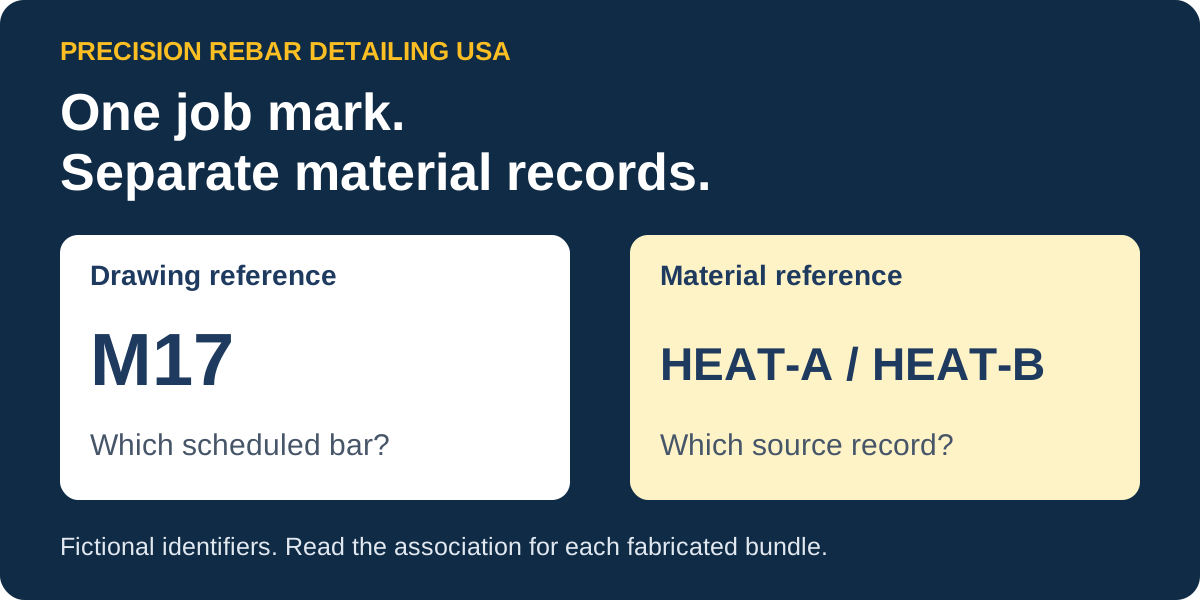
To connect a fabricated rebar bundle to its source heat, ask for the records that associate that bundle with the source stock and its material document. A placing mark helps locate the reinforcement in the job's drawing and bar-list package. The material-source association supplies a different link. Keep the bundle identifier in the discussion so a familiar drawing mark does not become a substitute for the source record.
Keep drawing identity and material identity separate
CRSI's terminology describes marks used to identify bent reinforcing bars and bar lists containing quantities and bar dimensions. Those drawing and list references help the detailer, fabricator and placing team discuss the same scheduled work.
Which scheduled bar?
The job, placing sheet, bar list and mark identify the reinforcement reference being discussed.
Which source material?
The bundle and source association identify the recorded stock and heat/document references for that material.
Our callouts and tagging service covers the drawing/schedule relationship. This example adds the separate material-record lookup rather than repeating that mark-audit checklist.
Look for the association between source and produced item
One documented implementation is aSa Production Tracking. Its product description links fabricated-item heat information to a combination with Inventory Tracking. The vendor's version 5.2 inventory help explains tracking which produced items came from opened stock bundles.
These references illustrate a record relationship. They do not establish the software, configuration or records used by your shop. Ask the receiving team which report, tag reference or association record it actually uses. The versioned help also discusses accounting functionality in development; it should not be read as a statement about the latest product release.
Worked example: the same mark, two source records
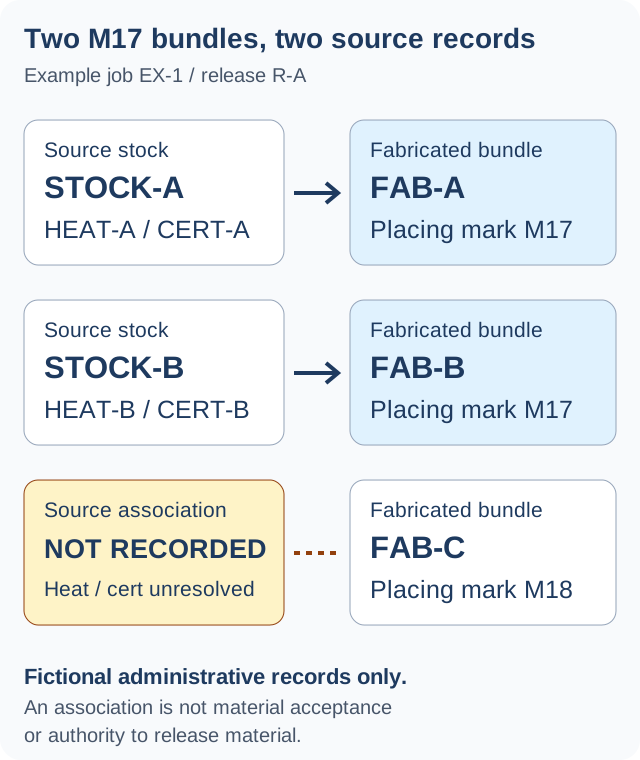
All identifiers below are fictional administrative labels. They contain no bar dimensions, quantities, grades or fabrication instructions. Each recorded row uses one source association for simplicity; the example is not a required tag format or a rule about how every shop groups material.
Scroll the table sideways to read every record field.
| Fabricated bundle | Placing mark | Source bundle / heat | Material document | Record status |
|---|---|---|---|---|
| FAB-A | M17 | STOCK-A HEAT-A | CERT-A | Association recorded |
| FAB-B | M17 | STOCK-B HEAT-B | CERT-B | Association recorded |
| FAB-C | M18 | Not recorded Unresolved | Unresolved | Ask for the source association |
FAB-A and FAB-B share the example placing mark M17. Their source records differ: STOCK-A leads to HEAT-A/CERT-A, while STOCK-B leads to HEAT-B/CERT-B. Looking up M17 alone would not tell the receiver which of these fictional bundle records is being discussed.
For FAB-C, the source association is not recorded. Its placing mark M18 does not fill that gap. Leave the heat and document reference unresolved while the responsible team identifies the record. A populated row records an association; it does not certify the material or authorize its use.
Ask a question that names the missing link
A useful follow-up identifies the fabricated bundle and the association being requested. For the fictional gap above, the request could read:
For example job EX-1 / release R-A, FAB-C is listed against placing mark M18, but the source-bundle association is not recorded. Which record identifies its source stock and the corresponding heat/material-document reference? Please identify the responsible recipient and the record returned.
Retain the response with the package reference. Avoid turning an unconfirmed association into a replacement material entry. Material acceptance, missing provenance and any production decision follow the actual project and shop procedures.
Define the drawing and material-record responsibilities
When commissioning a drawing or bar-list package, distinguish the outputs the detailer prepares from records held by the material supplier or fabricator. Ask who supplies the bundle/material references, who checks their association and which references should accompany the agreed handoff. Request project-specific records through the responsible team rather than posting certificates or tag photos in public.
For the drawing and list scope, see our bar bending schedule service and fabrication drawing packages. If a model is part of the transfer, use the separate BIM handoff checklist for file versions, formats and receiving-system checks.
Discuss your drawing and bar-list handoff
Describe the package, required outputs and the references your receiving team needs.
Request a Rebar Detailing Quote